How to Fix 'Tech Neck' From Looking Down at Your Phone
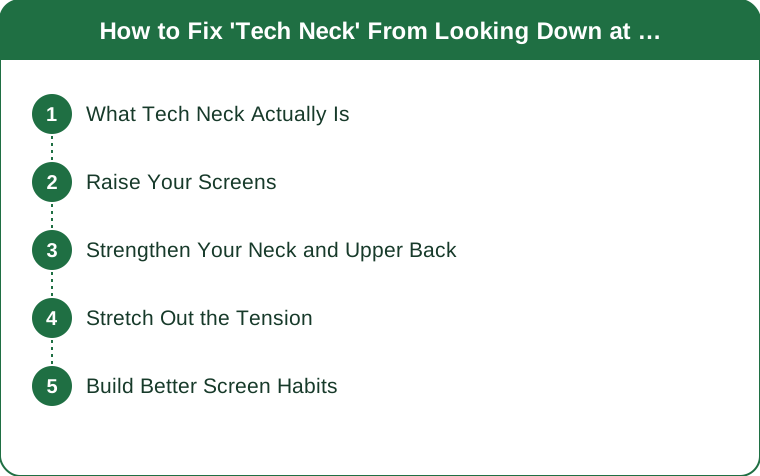
Quick Answer: Fix tech neck by raising your phone and monitor to eye level, strengthening your neck and upper back with chin tucks, stretching out the tightness it creates, and building the habit of catching yourself before you slump.
Look around and you’ll see it everywhere: heads bowed over phones, necks curved forward. “Tech neck” — the strain from constantly looking down at screens — is quietly wrecking postures and causing real pain. The good news is that it’s both fixable and preventable with a few simple changes.

What is “tech neck,” exactly, and why does it hurt so much?
Every inch you tilt your head forward multiplies the effective weight your neck must support — a head that weighs around 10-12 pounds upright can feel like it weighs far more at a steep forward angle. Hours of this daily adds up to real muscle strain, joint stress, and poor posture over time. Naming the problem and understanding the mechanics is the first step to actually solving it.

What’s the single most effective fix for tech neck?
Raise your screens. Bringing your phone and monitor up to eye level is the single most effective fix, keeping your head balanced over your spine instead of tilted forward. This one change removes the root cause rather than just managing the symptoms — your neck stops paying the price for your screens the moment you make this adjustment.

Can you actually strengthen your way out of tech neck?
Yes, and it’s one of the most durable fixes. Chin tucks and upper-back exercises rebuild the muscles that hold your head in a healthy position. Strong support muscles resist the forward pull far more effectively than posture reminders alone — a few minutes a day of targeted strengthening makes a genuinely lasting difference over a few weeks.
Does stretching help, or is strengthening enough on its own?
Both together work best. Gentle neck and chest stretches release the tightness that tech neck creates in the front of your body. Loosening the front lets you stand tall again, and pairing stretching with strengthening addresses both sides of the problem — the tight muscles pulling you forward and the weak muscles that can’t pull you back.
How do you stop tech neck from coming right back?
Build better screen habits. Taking regular breaks and catching yourself when you slump keeps tech neck from returning once you’ve fixed it. Awareness is genuinely half the battle — small habit changes, repeated consistently, protect your posture every day without requiring constant conscious effort forever.
5 Mistakes Everyone Makes Trying to Fix Tech Neck
- Only stretching, never strengthening. Loosening tight muscles without building the weak ones lets the problem creep back.
- Ignoring phone height entirely. Even perfect posture exercises can’t outpace hours of looking down at a low phone.
- Doing exercises inconsistently. A few minutes daily beats an occasional longer session for building lasting support.
- Not adjusting workstation setup. A monitor at the wrong height undoes desk-based posture work all day long.
- Ignoring persistent pain as “just tech neck.” Ongoing sharp or radiating pain deserves a professional opinion, not just more stretching.
FAQ
How long does it take to notice improvement from fixing tech neck?
Many people notice less tension within one to two weeks of raising their screens and adding daily chin tucks, with fuller postural change building over a few months of consistency.
Can tech neck cause headaches?
Yes — the muscle strain and tension from a forward head position commonly radiates into tension headaches, which often improve once the underlying posture and screen height are addressed.
When should tech neck symptoms be checked by a professional?
If pain is sharp, radiates down an arm, includes numbness or tingling, or doesn’t improve after a few weeks of consistent posture correction and exercises, it’s worth seeing a doctor or physical therapist rather than continuing to self-treat.
Do phone stands or ergonomic accessories actually help with tech neck?
Yes — anything that reliably raises your screen to eye level, whether a phone stand, a laptop riser, or a monitor arm, removes the root cause more consistently than remembering to hold your phone up manually.
Can tech neck affect sleep quality?
Indirectly, yes — the muscle tension and pain it causes can make it harder to find a comfortable sleeping position, and poor pillow support can in turn worsen tech neck symptoms overnight.
TL;DR:
- Raise phone and monitor to eye level — the single biggest fix
- Strengthen with chin tucks and upper-back exercises
- Stretch the chest and neck to release forward-pull tightness
- Build habits: regular breaks and catching yourself before slumping
- Sharp, radiating, or persistent pain warrants a professional check-in
Tech neck is the price of modern screen habits, but you don’t have to pay it. Raise your screens, strengthen your neck and upper back, stretch the tension out, and build better habits — your posture and your neck will recover and stay that way.
Keep Reading
This article is for general informational and styling purposes only. Fit, sizing, and product availability may vary.