The Complete Guide to Posture When You Work From Three Different Places
Quick Answer: Posture advice fails hybrid workers because it optimizes one station while ignoring the other two. The fix is not three perfect setups — it is a small portable kit, a rule for each surface type, and a reset habit that travels with you. Aim to make your worst position tolerable rather than your best position perfect.
You spent money on a good chair. You measured your monitor height. And your neck still hurts, because the chair is only where you spend Tuesday and Thursday, and the rest of the week is a kitchen counter, a couch, and whatever a coffee shop provides.

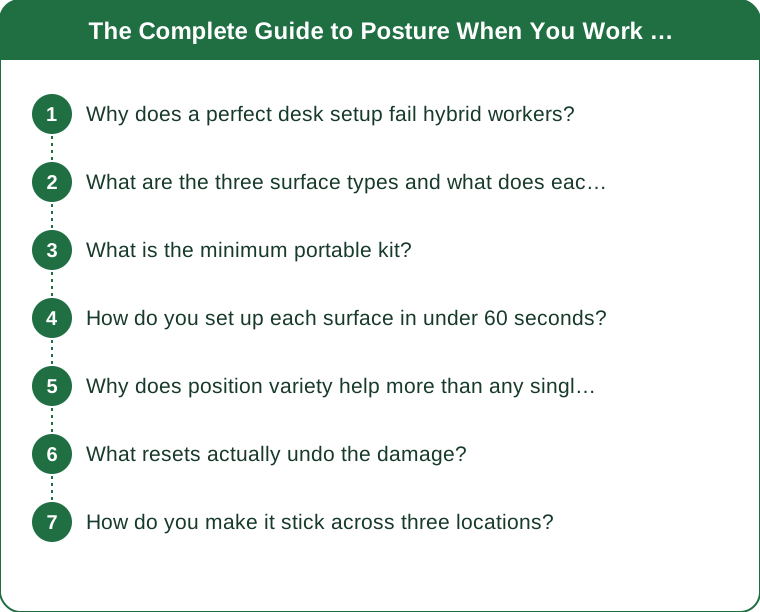
Why does a perfect desk setup fail hybrid workers?
Because posture load is cumulative across the whole day, and your best station is not where most of the damage happens.
Think of it in terms of exposure. If you spend three hours in an excellent setup and five hours across three mediocre ones, the mediocre ones are producing the majority of your total load. Optimizing the good station further has almost no effect on the total. Improving the worst station by even a small amount has a much larger effect than perfecting the best one.
There is a second, subtler problem: adaptation. Your body adapts to the positions it spends time in — connective tissue remodels, some muscles shorten and others lengthen, and motor patterns get grooved. When your positions are wildly inconsistent, you get partial adaptation to several conflicting demands, none of them complete.
The third problem is behavioral. A well-configured desk invites you to sit at it properly because everything is already in the right place. A kitchen counter invites you to lean, because leaning is the path of least resistance and nothing about the surface suggests otherwise. The environment makes the decision far more often than your intention does, which is why willpower-based posture correction fails so reliably.
So the frame worth adopting is not “how do I sit correctly everywhere” but “how do I make each of my actual surfaces less bad, with the smallest amount of equipment and thought.” That is a solvable problem. Sitting correctly everywhere is not.
What are the three surface types and what does each do to you?
Nearly every work surface falls into one of three categories, and each has a signature failure.
Type 1: The low surface — couch, armchair, bed, low coffee table. The laptop sits well below eye level and often on your lap, so your neck flexes sharply forward. Neck flexion multiplies the effective load on the cervical spine considerably — the head weighs roughly 10 to 12 pounds neutral, and the further forward it travels the more the supporting structures have to work. Your low back is usually unsupported and rounded, and your hips are often below your knees, which rotates the pelvis backward and takes the lumbar curve with it. The signature failure is the neck, and it is the worst of the three.
Type 2: The high surface — kitchen counter, standing desk at the wrong height, bar-height table. The opposite problem. The surface is too high for seated work and often slightly too high for standing work, so your shoulders elevate to reach the keyboard and stay there. Sustained shoulder elevation fatigues the upper trapezius and levator scapulae, which is exactly the tension people describe as “carrying stress in my shoulders.” The signature failure is the upper trap and the base of the neck.
Type 3: The unknown surface — coffee shop, library, hotel desk, someone else’s dining table. Usually roughly the right height, but with a chair you cannot adjust and no monitor. The most common failure here is a one-sided twist — you angle toward the outlet, or away from the sun, or toward whoever you came with — sustained for two hours. Asymmetric loading is harder on tissue than symmetric loading, and it is the one people notice least because nothing feels wrong at the time.
Knowing which type you are dealing with tells you which correction to reach for, and there are only three corrections to remember.
What is the minimum portable kit?
Three items, all of which fit in a normal bag, and each one solves a specific surface type.
1. A laptop stand — the highest-value item by a distance. A folding or roll-up stand that raises the screen four to six inches transforms Type 1 and Type 3 surfaces. Look for something that weighs under a pound and folds flat. The purpose is to get the top third of the screen near eye level so your neck can be neutral.
A stand is only useful if you also have the next item, because raising the screen also raises the keyboard.
2. A compact external keyboard. This is the piece people skip, and skipping it undoes the stand entirely. A slim wireless keyboard lets your hands stay low while the screen goes high, which is the whole point. A compact one weighs a few ounces and is the difference between a working setup and a theoretical one.
3. A small cushion or folded layer. A folded sweater works. On a Type 1 couch it goes behind your low back to restore the lumbar curve, or under your hips to lift them above your knees. On a Type 3 chair that is too deep, it goes behind you so your back can reach the backrest without slumping. On a chair that is too low relative to the table, it goes under you.
Optional fourth item if you regularly work from Type 2 surfaces: a thin foot rest or even a stack of books, which lets you shift weight and reduces the static standing load significantly.
Total cost is modest and total weight is around two pounds. Compared with the cost of a good chair, this is the higher-leverage purchase for anyone splitting their week across locations.

How do you set up each surface in under 60 seconds?
A specific routine per type, short enough that you will actually do it.
Low surface (couch, bed, low table) — 45 seconds:
- Get the laptop off your lap and onto something. A stand, a stack of books, a hard cushion, anything
- Put a folded layer behind your low back so the lumbar curve exists
- Get your hips level with or above your knees. If the seat is deep and soft, sit closer to the front edge
- Accept a time limit. This is a 40-minute position, not a four-hour one, and the most useful thing you can do at a low surface is decide in advance when you will leave it
High surface (counter, bar table) — 30 seconds:
- Decide standing or sitting and commit; the in-between is the worst option
- Standing: drop your shoulders deliberately, and if the surface is too high, raise yourself instead — a thicker shoe or a low platform beats reaching upward all day
- Sitting on a stool: get a foot rail or something under your feet. Dangling feet load the low back continuously
- Bring the laptop toward you rather than reaching forward toward it
Unknown surface (café, hotel) — 60 seconds:
- Choose your seat for its relationship to the table, not its view. This is the single most useful decision and it happens before you sit
- Square yourself to the screen. No twist. Move the chair rather than turning your torso
- Fill the gap behind your low back with your bag or a jacket if the chair is too deep
- Note where the outlet is before committing, because relocating after twenty minutes is how the twist happens
Sixty seconds, three times a day. That is the whole intervention on the setup side.
Why does position variety help more than any single position?
Because the harmful variable is duration, not posture.
This is the finding that reframes the whole topic: the best available evidence points to sustained static loading as the primary problem, more than the specific position being held. A moderately imperfect position changed every 30 minutes generally produces fewer symptoms than an ergonomically ideal position held for four hours.
The mechanism is reasonably well understood. Static loading reduces blood flow to working muscles, allows metabolic byproducts to accumulate, causes creep in connective tissue as it slowly deforms under sustained load, and produces the gradual loss of position awareness that makes you slump without noticing.
Which means hybrid work has a genuine hidden advantage. You have built-in variety that a single-desk worker has to manufacture deliberately. The couch is not the problem; four hours on the couch is. Moving between three imperfect stations may well be better for you than eight hours in one excellent one.
To use that advantage rather than waste it:
- Assign work types to surfaces. Calls and reading at the low surface, focused typing at the best station, email and admin at the counter. The work itself then drives the movement
- Set a 40-minute ceiling on the low surface specifically, since it carries the highest per-minute cost
- Change position at natural boundaries — between meetings, after finishing a task — rather than relying on a timer you will start ignoring
- Stand for every phone call. It requires no equipment, no decision, and reliably breaks up the longest sitting blocks of most people’s days
What resets actually undo the damage?
Short, specific, and frequent beats long and occasional. Four movements, roughly one minute total, done several times a day.
1. Chin nod and neck extension — for Type 1 damage. Sitting or standing, draw your chin gently back to make a double chin, hold three seconds, release. Ten reps. Then look up slowly and hold for five seconds. This directly counters the forward head position and it is the highest-value reset for anyone who works from a couch.
2. Doorway or wall chest opener — for rounded shoulders. Forearms on a doorframe at shoulder height, step forward gently until you feel a stretch across the chest, hold 30 seconds. The chest tightens in every one of the three surface types, and it is what pulls the shoulders forward and makes upright sitting feel like effort.
3. Standing shoulder rolls and shrug release — for Type 2 damage. Shrug hard for two seconds, then drop and let the shoulders fall completely. Five reps. Elevated shoulders often stay elevated without you noticing, and this teaches you the difference between elevated and relaxed.
4. Seated or standing rotation — for Type 3 twist. Rotate gently to each side, holding briefly. If you know you spent the morning angled one way, do a few extra to the opposite side.
On top of these, one genuinely underrated habit: stand up and walk for two minutes every hour. Walking resets everything at once — it restores the lumbar curve, unloads the discs, moves the shoulders through range, and re-engages the postural muscles that switch off during sustained sitting. No stretch routine matches it for effort-to-benefit ratio.
If you have persistent pain, numbness, tingling into the arms or hands, or symptoms that wake you at night, this is general information rather than medical advice and a physiotherapist or physician is the right next step.
How do you make it stick across three locations?
By removing the decisions. Every location that requires you to think about setup is a location where you will eventually stop bothering.
Duplicate rather than transport. The reason people stop using the laptop stand is that it lives in the bag they did not bring. If two of your three locations are fixed — home desk and kitchen counter, say — leave a stand and keep the portable one permanently in the bag for the third. Cheap stands are inexpensive enough that owning two beats remembering one.
Anchor the reset to something that already happens. Chin nods while the kettle boils. Chest opener in the doorway you already walk through between rooms. Standing for every call. Habits attached to existing events survive; habits requiring a new slot in your day do not.
Make the good station the default and the bad one the exception. If your laptop lives closed on the couch, the couch is where you will open it. Leave it set up at the best available station so working there requires no action and working elsewhere requires moving it.
Use a weekly check rather than a daily one. Once a week, ask a single question: which surface did I spend the most unplanned time at? That is the one to fix next. Not the one that is worst in theory — the one you actually used.
Expect to iterate for a month. The first stand you buy may be the wrong height. The first cushion may be too thick. This is normal and it is why starting cheap is smart. What matters is that after a month you have three stations that are each somewhat better and a reset habit that runs on autopilot, rather than one perfect desk and two you avoid thinking about.
TL;DR:
- Fix the worst surface, not the best one — total load is dominated by where you spend unplanned time
- Three surface types: low (neck), high (shoulders), unknown (one-sided twist), each with its own 60-second fix
- A laptop stand, a compact keyboard, and a folded layer solve most of it for around two pounds of kit
- Duration matters more than position, so hybrid variety is an advantage if you use it deliberately
- Anchor short resets to things you already do, and cap the couch at 40 minutes
The hybrid setup is not inherently worse than a single dedicated desk — it is just unmanaged. Managed, the built-in variety is genuinely protective. It only takes three small decisions and a bag you do not unpack.
Keep Reading
This article is for general informational and styling purposes only. Fit, sizing, and product availability may vary.